
Lead form ads let people submit their contact information without ever leaving the ad, which is why they consistently produce more submissions than a click-through to a landing page. Use them for straightforward offers, event sign-ups, and retargeting campaigns where you can follow up within minutes. Skip them when the offer is complex or high-ticket, since a dedicated landing page usually earns more trust before someone hands over their information.
TL;DR:
- Lead form ads work best for simple, low-commitment offers where quick follow-up within minutes increases conversion rates.
- Google, Meta, and LinkedIn support lead form ads with distinct audience and platform mechanics, so campaign strategies must adapt accordingly.
- Building your privacy policy link and confirmation message before ad setup speeds up approval and reduces rejection risk.
- Using real-time webhook or API integrations to deliver submissions into your CRM significantly improves contact rates and lead quality.
- Focusing on metrics like contact rate, qualified leads, and time-to-contact provides a clearer picture of campaign success than cost per lead alone.
Table of Contents
- How Do Lead Form Ads Work?
- Which Platforms Support Lead Form Ads?
- How Do You Set Up a Lead Form Ad?
- What Makes a Lead Form Ad Actually Convert?
- Where Should Your Leads Go After Submission?
- Instant Forms or Landing Pages: Which Should You Use?
- What Should You Track to Measure Real Performance?
- What We've Learned Running Lead Form Campaigns for Clients
- How Crowdcompany Handles Lead Form Ad Campaigns and Follow-Up
- Where to Learn More
- Sources
How Do Lead Form Ads Work?
A lead form ad attaches a native form directly to the ad unit, so a tap or click opens a form instead of a browser tab. The form renders inside the platform itself, whether that's an in-feed unit on Instagram, a headline extension on a Google Search ad, or a card inside LinkedIn's sponsored content. Because the person never leaves the app, load times drop to nearly zero, and lead form assets reduce the friction that normally causes people to abandon a form halfway through.
The forms themselves aren't one-size-fits-all. Marketers can mix required fields with optional ones and layer in custom or conditional questions depending on the platform.
- Essential fields: name, email, and phone number, often pre-filled from the user's profile or account data.
- Custom questions: multiple-choice or short-answer fields you write yourself to qualify the lead.
- Confirmation screen: a thank-you message with a CTA, like "Visit Website" or "Call Now."
- Verification: some platforms support OTP phone verification before submission, which filters out fake numbers before they ever reach your CRM.
Not every account or campaign type qualifies for these features, so check eligibility before you build creative around them.
Which Platforms Support Lead Form Ads?
The three major platforms all offer some version of an instant form, but the mechanics and the audience each one reaches are different enough to change how you plan a campaign. Google Ads supports lead form assets on Search and Performance Max campaigns, and requires a conversion-focused bidding strategy along with a "Submit lead form (Google hosted)" conversion goal. Meta runs instant forms on Facebook and Instagram feed placements, and Meta positions lead ads as the lower-friction alternative to sending traffic off-platform. LinkedIn Lead Gen Forms pre-fill fields using member profile data, which makes them a strong fit for B2B campaigns targeting specific job titles or industries.
- Google: best for high-intent search queries paired with qualifying questions.
- Meta: best for broad-reach, low-cost volume and event or promo sign-ups.
- LinkedIn: best for B2B offers where job title and company size matter more than volume.
These differences affect more than creative. Testing cadence, attribution setup, and even how you staff follow-up should shift depending on which platform is driving the leads.
How Do You Set Up a Lead Form Ad?
Getting a lead form live takes less time than most marketers expect, but skipping a step usually means a rejected asset or a delayed launch.
Pro Tip: Build your privacy policy link and confirmation message before you touch the ad platform. Missing disclosures are the single most common reason lead form assets get rejected on review.
- Confirm your account is eligible and that you have a live, accessible privacy policy URL ready. Platforms require this link before approving any form that collects personal data.
- Set the campaign objective to Leads and add the appropriate conversion goal (for Google, that means "Submit lead form").
- Create the lead form asset: choose your required fields, add custom or conditional questions, and decide whether to enable OTP verification.
- Attach the privacy policy link and write a submission confirmation message with a clear next-step CTA.
- Choose your delivery method, whether that's CSV export, email, or a webhook feed into your CRM.
- Submit for review and monitor approval status at the asset level, since some platforms review lead forms separately from the ad itself.
- Launch to a small budget first and manually QA the first batch of submissions before scaling spend.
That last step matters more than it sounds. A handful of test submissions will tell you if a question is confusing people or if your confirmation message is triggering support calls instead of sales calls.
What Makes a Lead Form Ad Actually Convert?
Getting the form live is the easy part. Getting it to produce leads your sales team actually wants to call is where most campaigns fall short.
Start with creative alignment. Your headline, description, and CTA button need to promise exactly what the form delivers. A mismatch between "Get a Free Quote" copy and a form asking for a scheduled appointment time creates drop-off you'll never diagnose from the metrics alone.
- Keep required fields to the minimum you actually need. Every extra field costs you completions.
- Use multiple-choice qualifying questions instead of open text. They're faster to answer and easier to score.
- Layer in conditional answers to auto-tag higher-intent submissions and route them to a priority queue.
- Enable OTP verification when phone contact rate matters more than raw volume. Verification adds a small step but meaningfully improves how many submitted numbers are real.
- Test "more volume" and "more qualified" delivery settings against each other rather than guessing which one fits your funnel.
Pro Tip: Treat speed-to-lead as a KPI, not an afterthought. A lead contacted within five minutes converts at a dramatically higher rate than one contacted an hour later, so build your routing rules around minutes, not shifts.
Run this like any other test: rotate creative, swap question sets, and measure cost per lead against contact rate, not just volume. A form that generates twice the leads at half the contact rate hasn't actually helped anyone.
Where Should Your Leads Go After Submission?
A lead sitting in a CSV export is a lead going cold. How you route submissions matters almost as much as how you capture them.
- CSV download: manual, batch-based, fine for very low volume but slow for anything else.
- Email notification: faster than CSV but still requires a human to manually enter data into a CRM.
- Webhook: pushes each submission in real time directly into your CRM or automation platform the moment it's submitted.
- API export or Zapier connector: similar real-time benefit, useful when you're stitching together multiple tools without custom development.
Webhooks and APIs consistently beat batch delivery on contact rate simply because sales reaches the lead sooner. When you integrate a webhook, map fields carefully, build in deduplication logic, and monitor for silent failures. A CRM and lead automation setup that includes retry logic and logging catches the submissions that would otherwise disappear into an API error. And because these forms collect personal data, keep your storage and access practices aligned with whatever privacy commitments your policy link actually makes.
Instant Forms or Landing Pages: Which Should You Use?
This isn't a universal answer. It depends on the offer, the audience, and how fast you can follow up.
Instant forms win when the offer is simple, the ask is low-commitment, and you can follow up within minutes, which is exactly why they perform well for retargeting audiences who already know your brand. Landing pages win when the offer needs explaining, when trust has to be built before someone shares their information, or when you're selling something with a longer consideration cycle.
- Instant forms: lower cost per lead, higher volume, often trade some lead qualification for that speed.
- Landing pages: higher cost per lead, typically stronger qualified-lead conversion and downstream revenue.
- Hybrid approach: run both simultaneously against the same audience and compare cost per qualified lead, not just cost per lead.
Track the metrics that reveal quality, not just cost: CPL, contact rate, qualified-lead conversion, and eventual revenue per lead. Retest the split every quarter, since audience fatigue changes which format wins.
What Should You Track to Measure Real Performance?
Cost per lead tells you almost nothing on its own. Pair it with contact rate, cost per qualified lead (CPQL), lead-to-opportunity rate, and time-to-contact, and you get a picture of whether your form is producing leads sales can actually close.
- CPL and CPQL, tracked side by side to catch volume/quality tradeoffs early.
- Contact rate, which flags bad phone numbers or slow follow-up before they tank your funnel.
- Lead-to-opportunity rate, the number that actually matters to whoever signs off on ad spend.
- Time-to-contact, since delays here quietly kill conversion regardless of lead quality.
Use enhanced conversions or offline conversion import to close the loop between an ad click and a real sale, especially when your sales cycle stretches past the platform's default attribution window. Testing more volume against more qualified settings only works if your reporting can actually tell the two apart, so build your dashboards around CPQL before you scale spend, not after.
What We've Learned Running Lead Form Campaigns for Clients
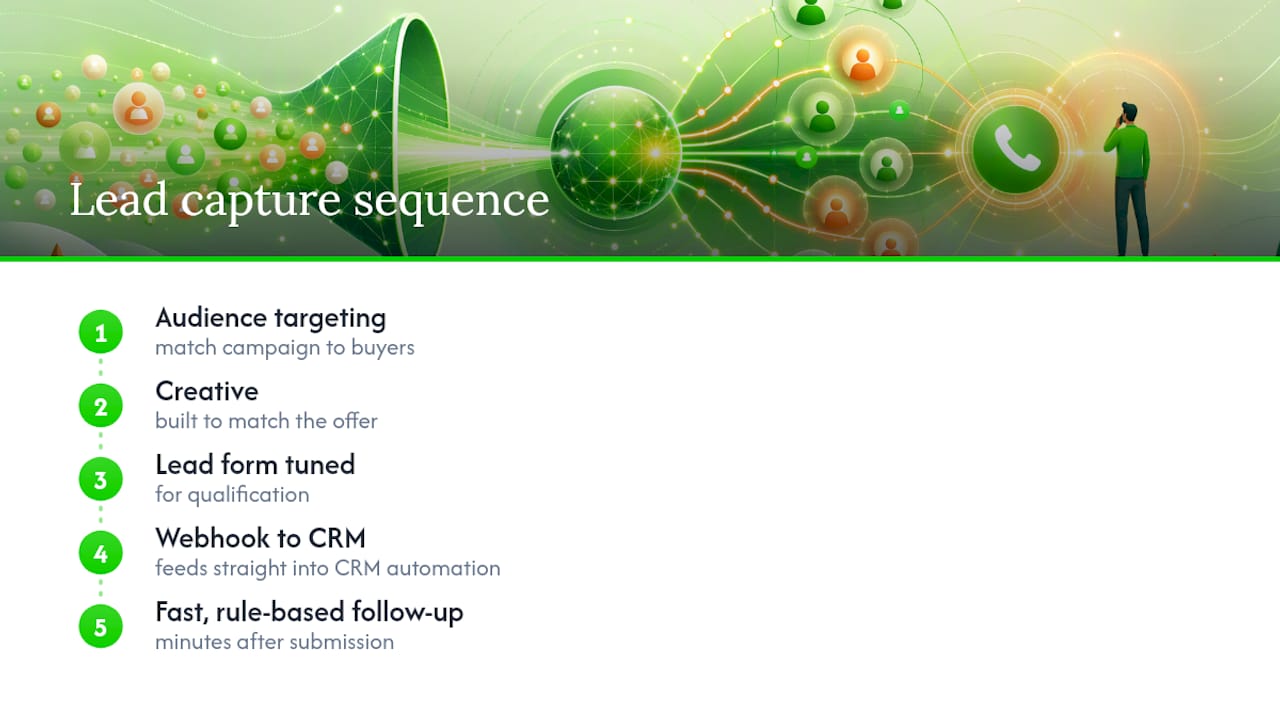
Crowdcompany runs lead form ads as one piece of a larger sequence: audience targeting, creative built to match the offer, a lead form tuned for qualification, a webhook feeding straight into CRM automation, then fast, rule-based follow-up. That chain is where most agencies drop the ball. They'll nail the ad and completely ignore what happens to the lead ninety seconds after submission.
Instant forms get the call when the offer is simple and follow-up can happen within minutes. Landing pages get the call when the sale needs more explanation before someone commits. Either way, we measure against cost per qualified lead, not raw volume, because volume without contact rate is a vanity number.
— E
How Crowdcompany Handles Lead Form Ad Campaigns and Follow-Up
Crowdcompany runs lead form ad campaigns end to end and connects them directly to CRM automation, so leads move from submission to a sales call without sitting in a spreadsheet.
A typical engagement starts with campaign setup and creative built around your actual offer, followed by a lead form configured with qualifying questions and conditional logic. From there, submissions route through a webhook into your CRM, triggering follow-up playbooks that get a real person on the phone within minutes, not hours. That speed advantage is the difference between a form that fills a database and one that fills a sales pipeline. If your team is spending on ads but losing leads to slow follow-up or manual data entry, that's the gap Crowdcompany closes. Get a look at how a full-funnel digital PR and lead campaign comes together, and see what a properly connected lead form setup could add to your pipeline this quarter.
Where to Learn More
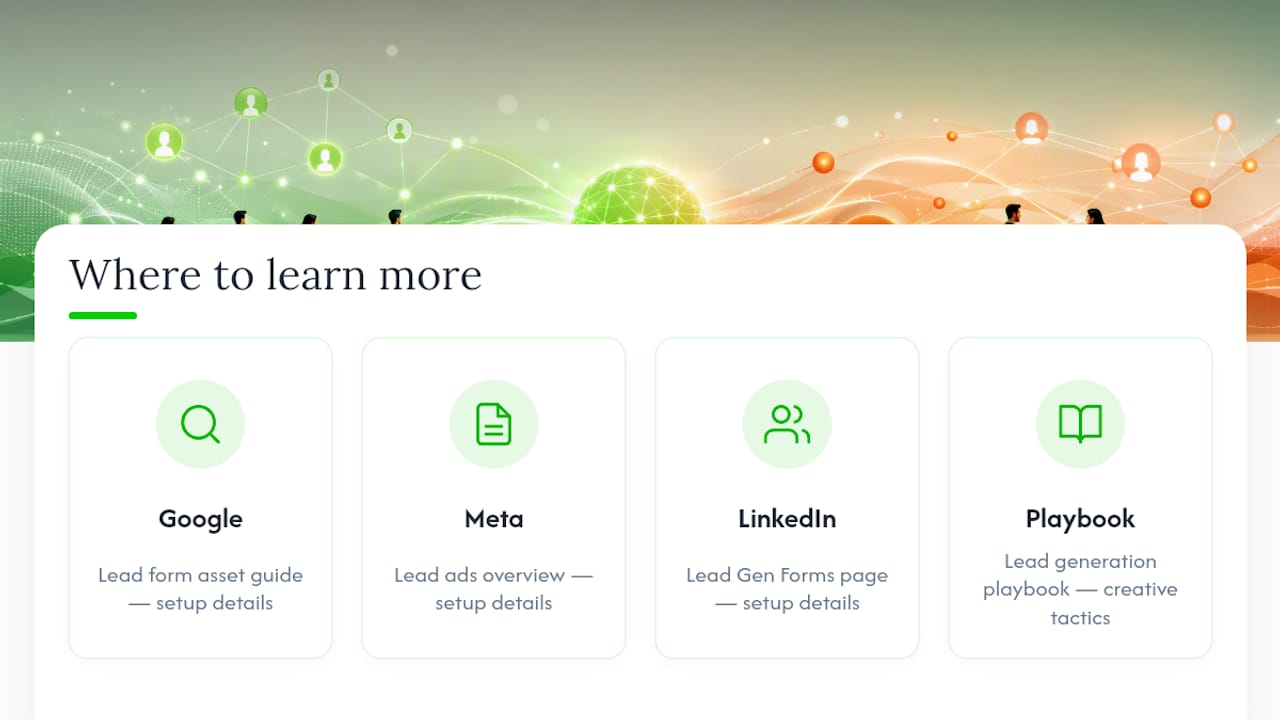
For setup details straight from the source, review Google's lead form asset guide, Meta's lead ads overview, and LinkedIn's Lead Gen Forms page. For creative tactics, see this lead generation playbook.
Sources
- About lead form assets - Google Ads Help
- Lead Ads: Generate Leads for Your Business | Meta
- LinkedIn Lead Gen Forms | LinkedIn Marketing Solutions