
If you want the short version: fix your tracking first, then split your audience into three intent tiers, exclude anyone who already bought, run a frequency-capped creative sequence for each tier, and check ROAS and frequency weekly. That's the whole playbook. Everything below is how to actually execute it.
Most Facebook retargeting fails for one boring reason: broken or partial tracking. You can build the most clever audience segmentation in the world, but if Meta's pixel is only catching half your site events, you're retargeting based on incomplete data. Fix that before you touch anything else.
Here's the checklist to run this hour in order:
- Install the Meta Pixel and turn on Conversions API (CAPI) so server-side events back up browser-side ones.
- Confirm event deduplication is active using a shared
event_idbetween Pixel and CAPI. - Upload a hashed customer list to seed your Custom Audiences.
- Build three audience tiers: cart/checkout abandoners, product viewers and engagers, and broad site visitors.
- Apply exclusions so buyers from the last 30 days never see acquisition ads again.
- Set frequency caps by tier, tightest for your hottest audience.
- Build four creative variants per tier so nothing goes stale in two weeks.
- Check Ads Manager weekly for frequency, CTR, and ROAS drift.
Three benchmarks to hold yourself to: retargeting should get a moderate share of your total Meta budget once your funnel is populated, healthy retargeting ROAS typically runs several times higher than cold prospecting because you're talking to people who already raised their hand, and frequency should stay in a moderate range of impressions per week before fatigue sets in. Cart abandonment runs high across almost every retail category according to Statista's cart abandonment data, which is exactly why this audience deserves first priority in your setup.
Key Takeaways
Facebook retargeting works when tracking is fixed first, audiences are split into three intent tiers with strict exclusions, and creative rotates on a schedule matched to frequency data, not guesswork.
| Point | Details |
|---|---|
| Fix tracking before scaling | Install Meta Pixel and Conversions API together, with event_id deduplication, before building any audience. |
| Build three intent tiers | Segment checkout abandoners, product viewers, and broad site visitors, each with its own time window and creative. |
| Exclude recent purchasers | Suppress buyers from the last 30 days in every retargeting ad set so you never pay to reconvert them. |
| Cap frequency by tier | Keep Tier 1 at 4 to 6 impressions per week, Tier 2 at 2 to 4, and Tier 3 at 1 to 2, refreshing creative when limits are hit. |
| Measure incrementality, not just ROAS | Run quarterly conversion lift tests since in-platform ROAS overstates true impact; Crowdcompany builds this measurement into every 30/60/90 rollout. |
Table of Contents
- How does Facebook retargeting actually work in 2026?
- Which retargeting audiences should you build first?
- How do you set up Facebook retargeting step by step?
- What creative should you run for each retargeting audience?
- How much should you spend on Facebook retargeting?
- Why is your retargeting audience shrinking, and how do you fix it?
- How do you measure whether your retargeting is actually working?
- What does a 30/60/90-day retargeting rollout look like?
- Should you build this yourself or bring in an agency?
- How Crowdcompany builds and runs retargeting for local and e-commerce brands
- Where to go for further setup and reference
- Sources
How does Facebook retargeting actually work in 2026?
Signal loss is the single biggest reason retargeting underperforms right now, and the fix is running Meta Pixel and Conversions API together instead of relying on the browser alone. Apple's App Tracking Transparency framework and browser-level cookie blocking have quietly cut how much of your site activity Facebook actually sees. A pixel-only setup in 2026 is like trying to navigate with a map that's missing a third of the streets.
Here's the mental model. A visitor lands on your product page. The Meta Pixel fires a ViewContent event from their browser. Simultaneously, your server sends the same event through CAPI, tagged with a matching event_id. Meta deduplicates the two, keeping one clean record instead of double-counting. That merged event feeds into your Custom Audiences, which then determine who sees your ads and when.
The event types that matter most for retargeting are ViewContent, AddToCart, InitiateCheckout, and Purchase. Each one represents a different rung on the intent ladder, and each should map to a distinct audience. Meta's own Aggregated Event Measurement framework limits how many of these events you can prioritize per domain under iOS restrictions, so rank them by commercial value: purchase and checkout events first, product views further down.
The pieces you need in place before any of this works:
- Meta Pixel installed on every page, not just checkout.
- Conversions API connected, ideally through a native integration rather than a manual build.
- Ads Manager access with event-level visibility in Events Manager.
- Catalog or Advantage+ catalog setup if you sell physical products.
Accounts that add CAPI on top of an existing pixel typically see a measurable jump in captured events and audience size, according to Neal Schaffer's retargeting analysis, simply because server-side tracking catches conversions the browser misses entirely.
Pro Tip: Never launch CAPI without deduplication. If you send the same purchase event from both the browser and the server without a matching event_id, Meta counts it twice, your reported conversions look inflated, and your real ROAS is worse than the dashboard says.
Which retargeting audiences should you build first?
Build your audiences in tiers of decreasing intent, and give each one its own time window and exclusion rule. This is where most accounts either win or waste money. A single "everyone who visited my site in the last 90 days" audience treats a checkout abandoner the same as someone who bounced off your homepage in four seconds. That's a mistake.
Tier 1: high intent. These are people who added to cart or started checkout but didn't finish. This audience is small, but it converts far better than anything else you'll run because they were seconds from buying.
They know your brand but haven't shown transaction intent yet.
Tier 3: broad warm. Anyone who visited your site in the last 30 to 180 days without a specific high-value action. This is your top-of-funnel retargeting net, useful for brand recall but never your priority spend.
Purchasers. Not a targeting audience at all. This is your exclusion list, and it belongs in every single campaign you run.
Practitioner playbooks in 2026 consistently recommend building this exact three-tier structure with distinct budgets and creative for each layer, per the Ecommerce Times retargeting stack guide, rather than running one blended retargeting campaign that dilutes your best audience with your weakest one.
Use dynamic product catalog audiences when you sell more than a handful of SKUs, since they auto-populate the exact item someone viewed. Stick with engagement-based audiences (video viewers, page engagers) when you're selling a service or a small product line where showing "the exact item they viewed" doesn't apply the same way.
How do you set up Facebook retargeting step by step?
The build order matters more than most guides admit. Skip a step, and you'll spend weeks debugging an audience that never populates. Here's the sequence:
- Verify your domain in Meta Business Settings so pixel events attribute correctly.
- Install the Meta Pixel through Events Manager, placing it in the header of every page.
- Enable Conversions API, using a native connector where your platform supports one.
- Configure event deduplication with a shared
event_idacross Pixel and CAPI. - Build your Custom Audiences using the tiers and windows from the table above.
- Create your campaign in Ads Manager, selecting Sales or Engagement as your objective.
- Build ad sets per audience tier, applying exclusions at the ad set level, not the campaign level.
- Write and upload creative matched to each tier, then set placements and attribution windows.
- Launch with a modest daily budget, then check Events Manager after 24 to 48 hours to confirm events are firing.
For your Ads Manager settings, pick a conversion-focused optimization event (Purchase for Tier 1, AddToCart for Tier 2) rather than defaulting to link clicks, which optimizes for the wrong outcome. Use a 7-day click attribution window as your baseline, and keep automatic placements on unless a specific placement is clearly underperforming in your data.
If you run on Shopify, the setup gets considerably easier. Shopify's native integration syncs your product catalog directly to Meta, which powers dynamic retargeting ads without manual feed management. A few things trip people up here:
- Password-protected stores block the catalog sync entirely. Meta can't crawl products it can't see.
- The native CAPI connector inside Shopify's Facebook & Instagram channel handles server-side events automatically, so you rarely need custom server code.
- Advantage+ catalog ads pull directly from your synced feed, which means keeping product titles, images, and availability status current in Shopify keeps your ads current too.
If installation events aren't firing, check three things first: whether the pixel base code loaded on the page (use Meta Pixel Helper in Chrome), whether your CAPI test events show up in Events Manager's Test Events tab, and whether a cookie consent banner is blocking pixel execution before consent is granted.
What creative should you run for each retargeting audience?
Match your creative to the visitor's stage, not your brand aesthetic. This is where a lot of retargeting budget gets wasted on beautifully produced ads that say nothing relevant to why the person is seeing it.
For Tier 1 checkout abandoners, run a dynamic product ad showing the exact item left in cart, paired with simple reminder copy. No hard sell needed. A headline like "Still thinking it over?" paired with the product image and price does more work than clever copy.

For Tier 2 product viewers, introduce social proof. A carousel format works well here, cycling through the viewed product alongside a review quote or a use-case shot. This is the stage where people need reassurance, not another discount.
For Tier 3 broad warm audiences, go educational or brand-forward. A 15-second vertical video that shows how the product works, or a founder story, rebuilds familiarity without pushing a transaction too early.
For past purchasers, shift entirely to loyalty and upsell. Complementary product suggestions or a referral incentive work better here than anything resembling an acquisition ad.
Sequence your messaging in three stages: reminder first (days 0 to 3), social proof next (days 4 to 10), then an offer if they still haven't converted (days 11 to 14). Introducing a discount too early trains customers to wait for one every time, which quietly erodes margin over time.
Pro Tip: User-generated content punches above its production cost in retargeting. A shaky 20-second phone video of a real customer using your product, layered onto a dynamic feed template, often outperforms a polished studio shoot for warm audiences, because it looks like proof rather than an ad.
Shopify's own guidance on dynamic retargeting ads backs this pattern up: catalog-driven creative that shows the actual product someone viewed consistently beats generic brand creative for bottom-funnel audiences.
How much should you spend on Facebook retargeting?
Retargeting should get a moderate share of your total Meta budget as a baseline, scaling higher once your audiences are populated and performing. Below that, you're likely leaving high-intent conversions on the table. Allocating too high a proportion risks running out of qualified audience and paying rising CPMs to serve the same faces the same ad, which is when frequency fatigue shows up in your metrics.
Frequency benchmarks by tier:
- Tier 1 (checkout abandoners): up to 4 to 6 impressions per week. This audience is small and high-value, so more frequent touches are tolerable.
- Tier 2 (warm): 2 to 4 impressions per week. Enough to stay top of mind without becoming background noise.
- Tier 3 (broad warm): 1 to 2 impressions per week. This audience needs light reminders, not repetition.
When frequency for any tier climbs past its ceiling and ROAS starts dropping in the same week, that's your signal to refresh creative immediately, not to wait out the campaign. A four to six week creative refresh cadence is a reasonable default, sooner for Tier 1 given how often those same shoppers cycle through.
On bidding, cost cap works well for Tier 1 where you know your target CPA tightly. Lowest cost (with a bid cap as a guardrail) tends to work better for Tier 3, where volume matters more than precision. Advantage+ shopping campaigns can absorb some retargeting logic automatically, but manual campaign budget optimization still gives you more control over exclusions, which matters most for your hottest tier.
| Audience Size | Recommended Daily Budget | Bidding Approach |
|---|---|---|
| Under 1,000 (Tier 1, small account) | $15 to $30 | Cost cap, tight CPA target |
| 1,000 (Tier 2, mid-size) | $30 to $50 | Lowest cost with bid cap |
| 10,000 (Tier 3, broad warm) | $50 to $100 | Lowest cost, monitor frequency closely |
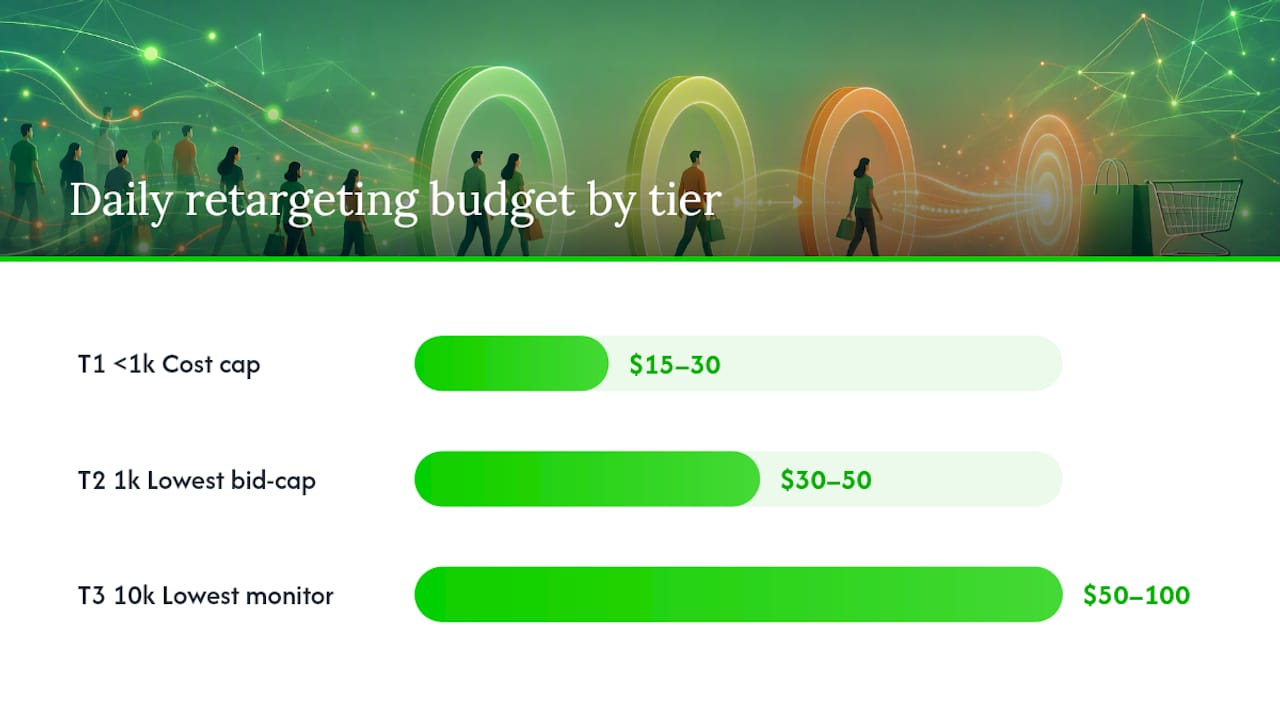
Scale a tier up when you see three consecutive weeks of stable or improving incremental ROAS, CTR holding steady rather than declining, and an audience size still large enough to absorb increased spend without frequency spiking. Top-performing accounts allocate closer to 20 to 30% of total Meta spend to retargeting once their stack matures, per the Ecommerce Times playbook, and they enforce strict exclusion logic specifically so retargeting budget never competes against their own prospecting campaigns for the same person.
Why is your retargeting audience shrinking, and how do you fix it?
Apple's App Tracking Transparency prompt and increasing browser-level cookie restrictions mean a growing share of your visitors simply never get tracked by the pixel alone. This is not a bug you can patch with better pixel code. It's a structural shift in how much of the internet allows tracking by default, and CAPI is the primary way to recover that lost signal since it captures events server-side, independent of what the visitor's browser or device permits.
Run through this troubleshooting checklist when audiences feel smaller than they should:
- Confirm the Pixel is firing on every key page using Meta Pixel Helper.
- Test CAPI server events directly in the Events Manager Test Events tool.
- Verify
event_iddeduplication is matching Pixel and CAPI events correctly, not creating duplicates. - Check Event Match Quality scores in Events Manager. Low scores mean Meta can't confidently match events to real people.
- Refresh your hashed customer list weekly rather than letting it sit static for months.
- Test that your product catalog is syncing correctly if you're running dynamic ads.
Pro Tip: Match rate improves fastest when you add more identifiers per event, not just email. Include hashed phone number, first name, and zip code alongside email in your CAPI payload, and upload offline conversions (in-store purchases, phone orders) at least weekly to keep your customer match fresh.
For quick validation, use Events Manager's diagnostics tab, the Meta Pixel Helper Chrome extension, and your own server logs to confirm CAPI requests are returning success responses rather than silent failures. A pixel that "looks installed" but throws errors on 30% of events is worse than no pixel at all, because it gives you false confidence in data you can't trust.
How do you measure whether your retargeting is actually working?
Track five numbers every week: CTR, CPM, conversion rate, ROAS, and frequency. Add Event Match Quality to that list monthly, since a declining match rate quietly degrades every other metric without an obvious cause.
Your testing roadmap should run on a rolling cadence rather than one-off experiments:
- Test one creative variable at a time (headline, image, or CTA) inside a single tier before scaling learnings across tiers.
- Test offer type and timing, comparing a reminder-only sequence against one that introduces a discount at day 10.
- Test sequencing itself: does a three-stage message (reminder, proof, offer) outperform a single static ad running the whole window?
- Run each test for at least one full week per audience tier before calling a winner, since Tier 1 audiences convert fast but Tier 3 needs more time to show signal.
In-platform ROAS overstates real impact because it credits Facebook for conversions that would have happened anyway. This is where a conversion lift test earns its cost: it holds out a portion of your audience from ads entirely, then compares their conversion rate against the group that saw ads. The gap between the two groups is your true incremental lift, separate from what Meta's dashboard reports.
Run a lift test quarterly if your budget supports it, and treat blended CAC (cost per acquisition across all channels, not just Meta) as your real governance metric rather than platform-reported ROAS alone. For weekly reviews, watch frequency and CTR trends. For monthly reviews, look at blended ROAS and Event Match Quality. Save lift testing and full-funnel attribution review for quarterly check-ins, since those need more data volume to produce a reliable read.
What does a 30/60/90-day retargeting rollout look like?
A structured rollout beats an all-at-once launch because signal quality and audience size both need time to build before spend scales safely. Here's the timeline Crowdcompany runs for new retargeting clients.
Days 1 to 30: fix the signal. Install Pixel and CAPI, configure deduplication, verify Event Match Quality is climbing week over week, sync the product catalog if applicable, and build the three core audience tiers with correct exclusions. No major spend increase yet. This month is entirely about data integrity.
Days 31 to 60: test audiences and creative. Launch all three tiers with distinct creative per audience. Run the first round of A/B tests on headline and offer timing. Start weekly frequency and CTR monitoring. Begin refreshing Tier 1 creative if frequency approaches the upper threshold.
Days 61 to 90: scale and measure incrementality. Increase budget on tiers showing stable ROAS and healthy frequency. Run the first conversion lift test to separate real incremental revenue from ads Meta would have gotten credit for regardless. Formalize a monthly and quarterly reporting cadence going forward.
Sample budget bands by account size:
- Small accounts (under $5,000/month total Meta spend): retargeting gets roughly $500 to $1,000/month, concentrated almost entirely on Tier 1 and Tier 2.
- Mid-size accounts ($5,000 to $25,000/month): retargeting gets $750 to $5,000/month, spread across all three tiers with Tier 1 still receiving the highest per-person allocation.
- Larger accounts (above $25,000/month): retargeting can run $5,000 to $15,000+/month, with dedicated budgets for lift testing and dynamic catalog campaigns layered on top.
Weekly reporting should cover frequency by tier and CTR trends. Monthly reporting should cover blended ROAS across the full account. Quarterly reporting should include a conversion lift study and an Event Match Quality trend line, since match quality erosion is often the earliest warning sign that a signal problem is developing before it shows up in ROAS.
Should you build this yourself or bring in an agency?
The honest answer depends less on budget and more on whether you have the engineering time to keep CAPI and deduplication healthy month after month. A retargeting stack isn't a "set it and forget it" system. Match rates drift, creative fatigues, iOS and browser rules keep shifting, and someone needs to be watching Events Manager every week, not just at launch.
If your team has a developer who can maintain a server-side CAPI integration, a designer who can turn around four new creative variants every few weeks, and someone disciplined enough to check frequency data weekly rather than monthly, DIY is genuinely viable. Plenty of lean e-commerce teams run tight retargeting stacks in-house successfully, particularly once volume is high enough that the fixed cost of learning the system pays for itself.
Where it gets harder is scale and rigor. Running a real conversion lift test, maintaining Event Match Quality above a healthy threshold, and rotating creative on a strict cadence across three audience tiers is a lot of ongoing operational discipline for a marketer already juggling five other channels. That's the gap an agency typically closes, not by knowing some secret tactic, but by having the bandwidth to do the unglamorous maintenance work consistently.
If you do bring in outside help, hold them to a concrete checklist: CAPI and deduplication configured correctly from week one, daily monitoring rather than "we'll check in at month end," weekly frequency reports you can actually see, and a quarterly lift test on the calendar, not just promised. Judge performance against blended CAC and incremental ROAS, not the platform's own inflated conversion numbers.
How Crowdcompany builds and runs retargeting for local and e-commerce brands
Most businesses trying to fix retargeting themselves hit the same wall: the tracking setup, the creative rotation, and the weekly monitoring all compete with running the actual business. Crowdcompany exists for exactly that gap. Instead of a retainer that locks you into a vague monthly report, you get a team that treats signal recovery and audience engineering as an ongoing operational job, the same way it should be treated.
The engagement runs the same 30/60/90 structure laid out above: an audit and signal fix in the first month, tiered audience and creative testing in the second, and budget scaling paired with real incrementality measurement by the third. That includes Pixel and CAPI setup with deduplication, the three-tier audience build, creative production matched to each intent stage, and weekly frequency and ROAS reporting so you're never guessing whether a campaign is working. Crowdcompany's retargeting and email marketing service covers this full stack, including the offline conversion uploads and CRM-driven list enrichment that keep match rates healthy month after month.
If you'd rather see the fuller picture of how Crowdcompany runs growth marketing for local businesses and e-commerce brands beyond retargeting alone, the South Florida service overview breaks down what a full engagement looks like. Book an audit to see what your current tracking setup is actually capturing, and get a specific 30/60/90 plan back within days.
Where to go for further setup and reference
A few sources are worth bookmarking as you build out your own stack, since platform documentation changes faster than most guides get updated.
- Facebook Business retargeting guidance covers Meta's own framing of retargeting as a goal-driven campaign type, useful when you're setting campaign objectives in Ads Manager.
- Shopify's dynamic retargeting ads documentation walks through catalog sync requirements and native CAPI connectors, essential reading before you launch dynamic product ads.
- The Ecommerce Times retargeting stack guide lays out the three-tier budget and creative framework referenced throughout this playbook.
- Statista's cart abandonment data is worth checking periodically to recalibrate expectations for how large your Tier 1 audience should realistically be.
For readers running Shopify stores specifically, a partner guide on conversion rate optimization for product pages pairs well with this playbook, since fixing on-page friction before scaling retargeting spend prevents you from paying to bring back visitors who'll abandon again for the same reasons.
Sources
- Statista — Category cart abandonment rate worldwide
- Retargeting: How to Advertise to Existing Customers ... — Facebook Business
- Creating Facebook dynamic retargeting ads to sell your Shopify products — Shopify Help
- How to build a Meta retargeting stack that recovers lost revenue in 2026 — Ecommerce Times